paqet is a new low-level proxy utility designed to bypass highly restrictive firewalls. The project revolves around the concept of raw sockets, drawing inspiration from gfw_resist_tcp_proxy.
The two projects differ in several key ways:
| paqet | gfw_resist_tcp_proxy | |
|---|---|---|
| Packet manipulation method | RAW sockets | TCP violation |
| Transport protocol | KCP | QUIC |
| Bypasses blocked ports | No | Yes |
| Resource usage | Low | High |
This article will focus on setting up Paqet manually for optimal performance on low-end hardware.
Setting Up Paqet
Note: the following information is based on
v1.0.0-alpha.19at the time of writing this article.
Binaries are located at hanselime/paqet/releases. Paqet ships a unified executable for both servers and clients. Setup instructions are available on the repository: Getting Started
Different Ways To Use Paqet
You should now have a functional local proxy running on 127.0.0.1:1080 which is directing traffic to your server.
Sharing with other devices
It is possible to route traffic from other devices on your home network through the Paqet client by changing the local proxy address to your device's IP address. In the following example, we will connect to our Packet client using Orbot on a phone.
client.yaml
# SOCKS5 proxy configuration (client mode)
socks5:
  - listen: "192.168.1.2:1080"    # SOCKS5 proxy listen address
    username: ""                # Optional SOCKS5 authentication
    password: ""                # Optional SOCKS5 authentication
Orbot Outbound Network Proxy:
Outnound proxy type: SOCKS5
Outbound proxy host: 192.168.1.2
Outbound proxy port: 1080
Creating a tunnel interface
You can create a tunnel interface from any local proxy using a tun2socks utility such as hev-socks5-tunnel. To proceed, download the latest binary and configure hev-socks5-tunnel as follows:
main.yaml
tunnel:
  # Interface name
  name: tun0
  # Interface MTU
  mtu: 8500
  # Multi-queue
  multi-queue: false
  # IPv4 address
  ipv4: 198.18.0.1
  # IPv6 address
#  ipv6: 'fc00::1'
  # Post up script
# post-up-script: up.sh
  # Pre down script
# pre-down-script: down.sh

socks5:
  # Socks5 server port
  port: 1080
  # Socks5 server address (ipv4/ipv6)
  address: 127.0.0.1
  # Socks5 UDP relay mode (tcp|udp)
  udp: 'udp'
  # Override the UDP address provided by the Socks5 server (ipv4/ipv6)
# udp-address: ''
  # Socks5 handshake using pipeline mode
# pipeline: false
  # Socks5 server username
# username: 'username'
  # Socks5 server password
# password: 'password'
  # Socket mark
mark: 438
Run hev-socks5-tunnel:
# Set socks5.mark = 438
sudo hev-socks5-tunnel main.yaml

# Disable reverse path filter
sudo sysctl -w net.ipv4.conf.all.rp_filter=0
sudo sysctl -w net.ipv4.conf.tun0.rp_filter=0

# Bypass upstream socks5 server
sudo ip rule add fwmark 438 lookup main pref 10
sudo ip -6 rule add fwmark 438 lookup main pref 10

# Route others
sudo ip route add default dev tun0 table 20
sudo ip rule add lookup 20 pref 20
sudo ip -6 route add default dev tun0 table 20
sudo ip -6 rule add lookup 20 pref 20
Routing traffic from a shared interface through the tunnel
To route incoming traffic from an interface called eth1 through the tunnel, make the following changes:
# Set socks5.mark = 438
sudo hev-socks5-tunnel main.yaml

# Disable reverse path filter
sudo sysctl -w net.ipv4.conf.all.rp_filter=0
sudo sysctl -w net.ipv4.conf.tun0.rp_filter=0
sudo sysctl -w net.ipv4.conf.eth1.rp_filter=0

# Bypass upstream socks5 server
sudo ip rule add fwmark 438 lookup main pref 10
sudo ip -6 rule add fwmark 438 lookup main pref 10

# Route others
sudo ip route add default dev tun0 table 20
sudo ip rule add iif eth1 lookup 20 pref 20
sudo ip -6 route add default dev tun0 table 20
sudo ip -6 rule add iif eth1 lookup 20 pref 20
Optimizing KCP For Maximum Throughput
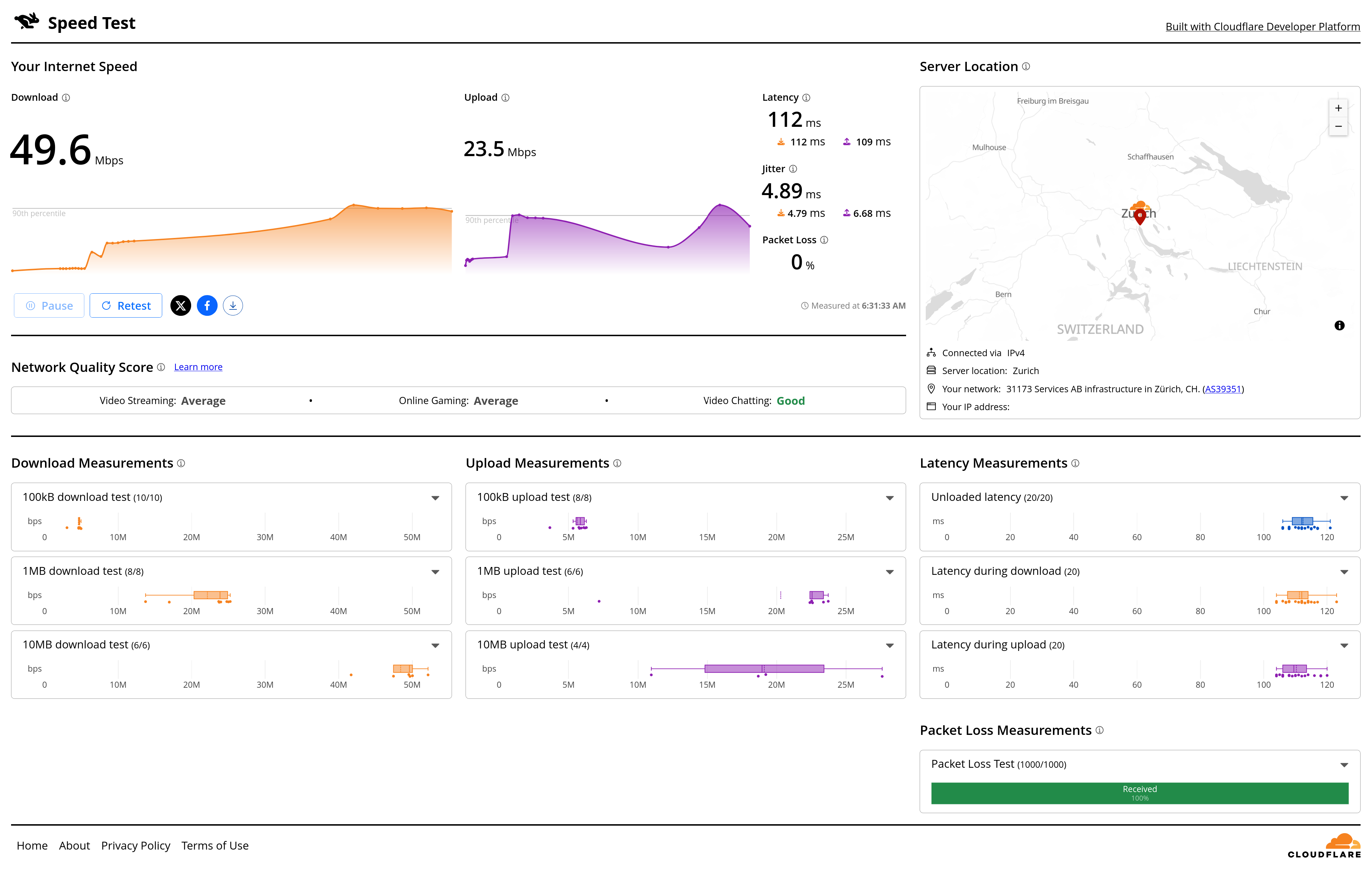
Paqet's configuration file exposes advanced KCP parameters. Here, we'll go through the most important ones:
conn : Number of streams handled by the multiplexer. Should be equal to or greater than the number of logical cores available. Increase the SMUX buffer size relative to the number of streams as described below. Performance scales with higher values on capable hardware.
mode :
Predefined presets for KCP. Switch to manual for the following settings to take effect.
interval : Internal update timer interval in milliseconds. There's really no reason to change this under most circumstances.
resend :
Packet retransmission trigger. Set to 2.
nocongestion :
Disables congestion control. Set to 1.
wdelay :
Enables write batching. Set to true.
acknodelay :
Disables ACK batching. Set to false.
mtu : Maximum MTU size used by KCP. Set this to the highest possible value for your network.
Real-world example for a PPPoE connection with an MTU size of 1492:
IP header: 20 bytes
UDP header: 8 bytes
KCP header: 24 bytes
1492 - 52 = 1440
rcvwnd/sndwnd :
Larger window sizes allow for more in-flight data. Set to 1024 for most use cases. Higher values may consume more memory and potentially cause stability issues over sub-optimal network conditions.
block :
Encryption standard used by KCP. Use xor (insecure algorithm, serves as basic authentication) if already tunneling encrypted traffic (e.g. WireGuard) through Paqet.
While more secure, performance-friendly algorithms such as
aes-128-gcmandsalsa20are supported, Paqet should not be used for security-sensitive applications as it has not yet been audited at the time of writing.
smuxbuf : This is the aggregate read buffer for the multiplexer. Should be higher than (or double) the size of the stream buffer, multiplied by the number of streams.
streambuf : Buffer size per stream. Default is 2MB. May benefit from higher values.
Minimum size required for a 100 Mbps stream at 50ms RTT:
(100,000,000 / 8) * 0.05 = 625,000 bytes
Example configuration file
# Transport protocol configuration
transport:
  protocol: "kcp"  # Transport protocol (currently only "kcp" supported)
  conn: 4          # Number of connections (1-256, default: 1)

  # tcpbuf: 8192   # TCP buffer size in bytes
  # udpbuf: 4096   # UDP buffer size in bytes

  # KCP protocol settings
  kcp:
    mode: "manual"              # KCP mode: normal, fast, fast2, fast3, manual

    # Manual mode parameters (only used when mode="manual")
    nodelay: 1              # 0=disable, 1=enable
                              # Enable for lower latency & aggressive retransmission
                              # Disable for TCP-like conservative behavior

    interval: 10            # Internal update timer interval in milliseconds (10-5000ms)
                              # Lower values increase responsiveness but raise CPU usage

    resend: 2               # Fast retransmit trigger (0-2)
                              # 0 = disabled (wait for timeout only)
                              # 1 = most aggressive (retransmit after 1 ACK skip)
                              # 2 = aggressive (retransmit after 2 ACK skips)

    nocongestion: 1         # Congestion control: 0=enabled, 1=disabled
                              # 0 = TCP-like fair congestion control (slow start, congestion avoidance)
                              # 1 = disable congestion control for maximum speed

    wdelay: true           # Write batching behavior
                              # false = flush immediately (low latency, recommended for real-time)
                              # true = batch writes until next update interval (higher throughput)
                              # Controls when data is actually sent to the network

    acknodelay: false        # ACK sending behavior
                              # true = send ACKs immediately when packets are received (lower latency)
                              # false = batch ACKs (more bandwidth efficient)
                              # Setting true reduces latency but increases bandwidth usage

    mtu: 1440              # Maximum transmission unit (50-1500)
    rcvwnd: 1024           # Receive window size (default for server)
    sndwnd: 1024           # Send window size (default for server)

    # Encryption settings
    block: "xor"                    # Encryption: aes, aes-128, aes-128-gcm, aes-192, salsa20, blowfish, twofish, cast5, 3des, tea, xtea, xor, sm4, none, null.
    key: "your-secret-key-here"       # CHANGE ME: Secret key (must match client)

    # Buffer settings (optional)
    smuxbuf: 67108864       # 64MB SMUX buffer (4 streams)
    streambuf: 8388608     # 8MB stream buffer